A little closer to your TV

Your TV.
Your Mac.
Beautifully
connected.

A thoughtful home for your Android TV & Google TV. Control, organize, and care for it. Right from your Mac.

Made for Mac · Apple silicon · macOS 13+

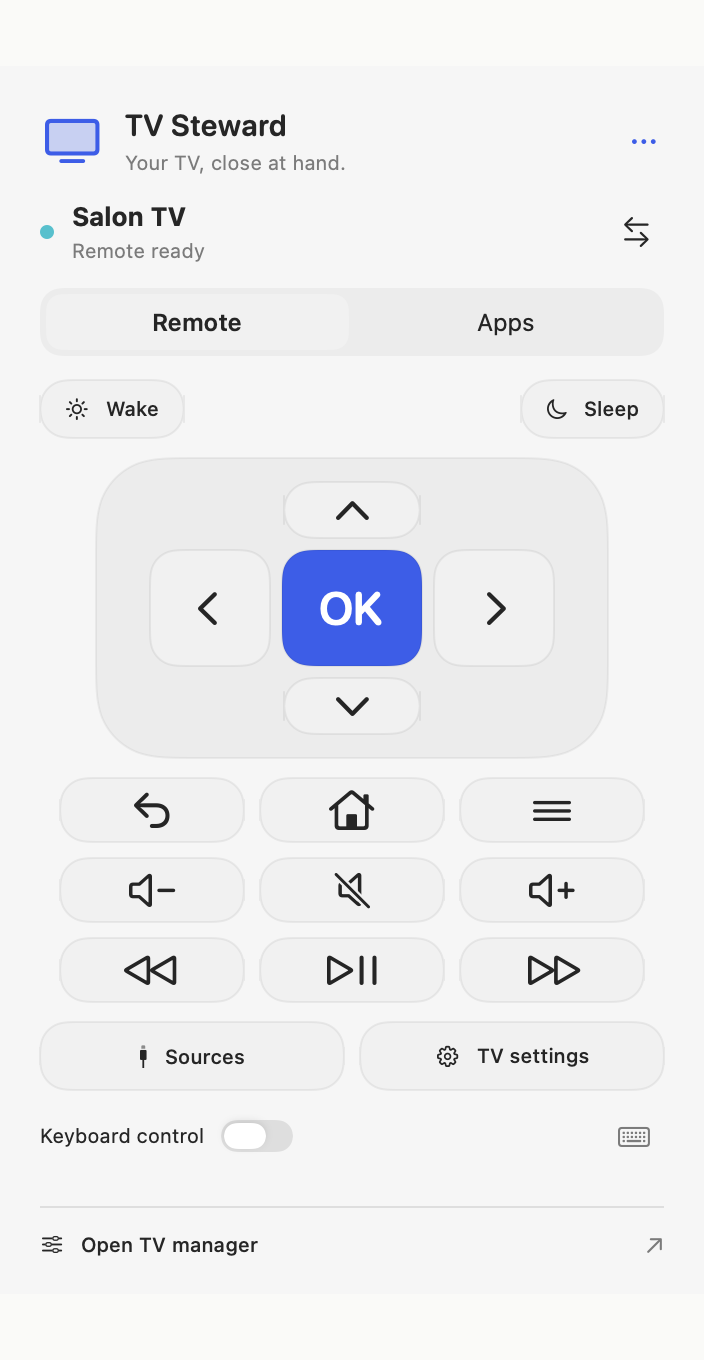
TV Steward’s Mac remote with navigation, volume, playback, and keyboard controls
A familiar feeling. A better remote.
App preview · Sample device
Native to your MacAt home on your networkNo account. No ads.

SMALL DETAILS. EVERYDAY DIFFERENCE.

Less reaching.
More relaxing.

Everything you need, thoughtfully within reach.

01 / YOUR FAVORITES

A shortcut to
the good stuff.

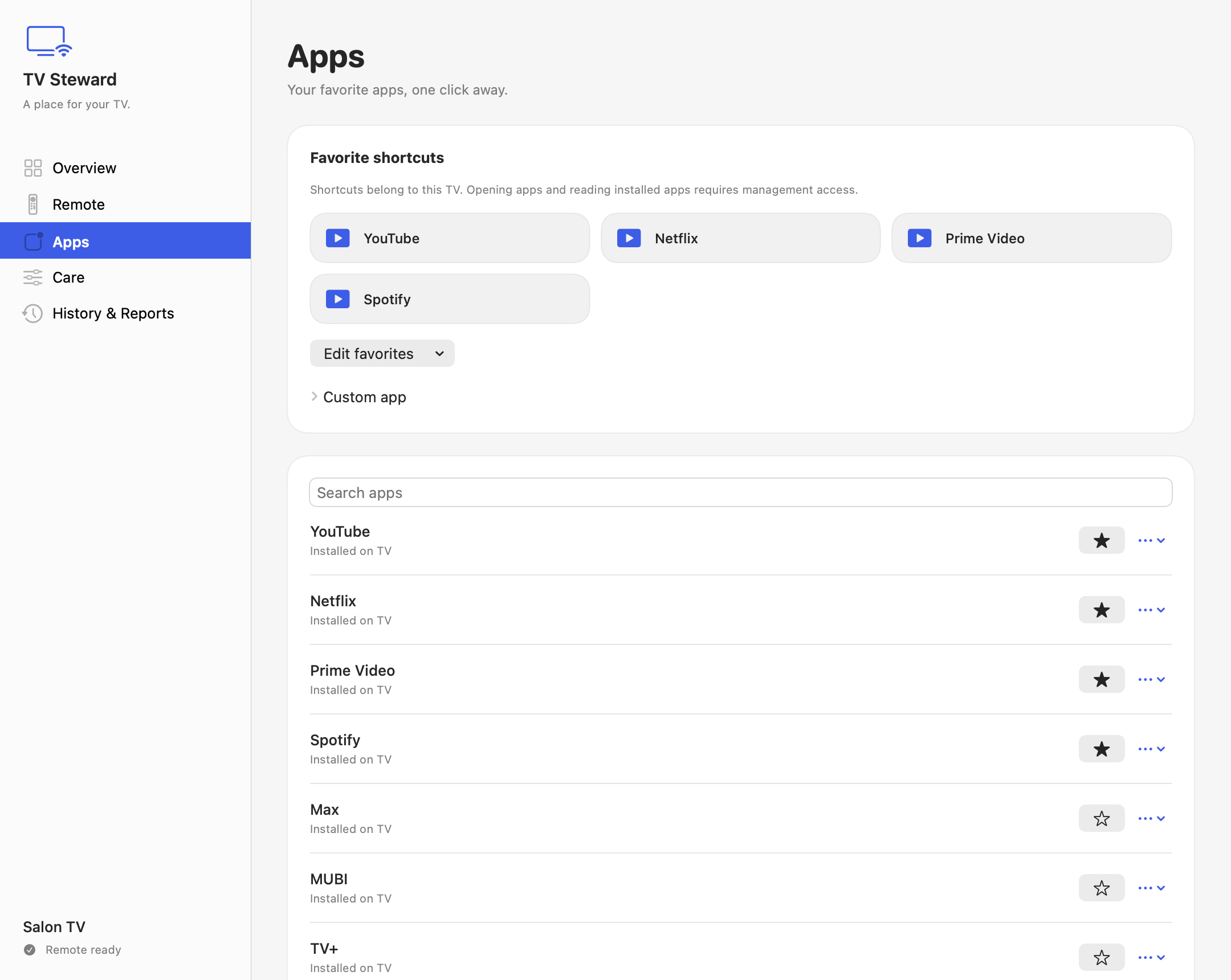
Keep your go-to TV apps together.
Pick a favorite. Settle in.

App launching requires management access.
The Apps screen with favorite shortcuts and a searchable TV app list
02 / A NATURAL EXTENSION

Your keyboard.
Now a TV remote.

Navigate with familiar keys. Adjust the volume. Pause for a moment. All from your menu bar.

03 / A LITTLE CARE

More insight.
More control.

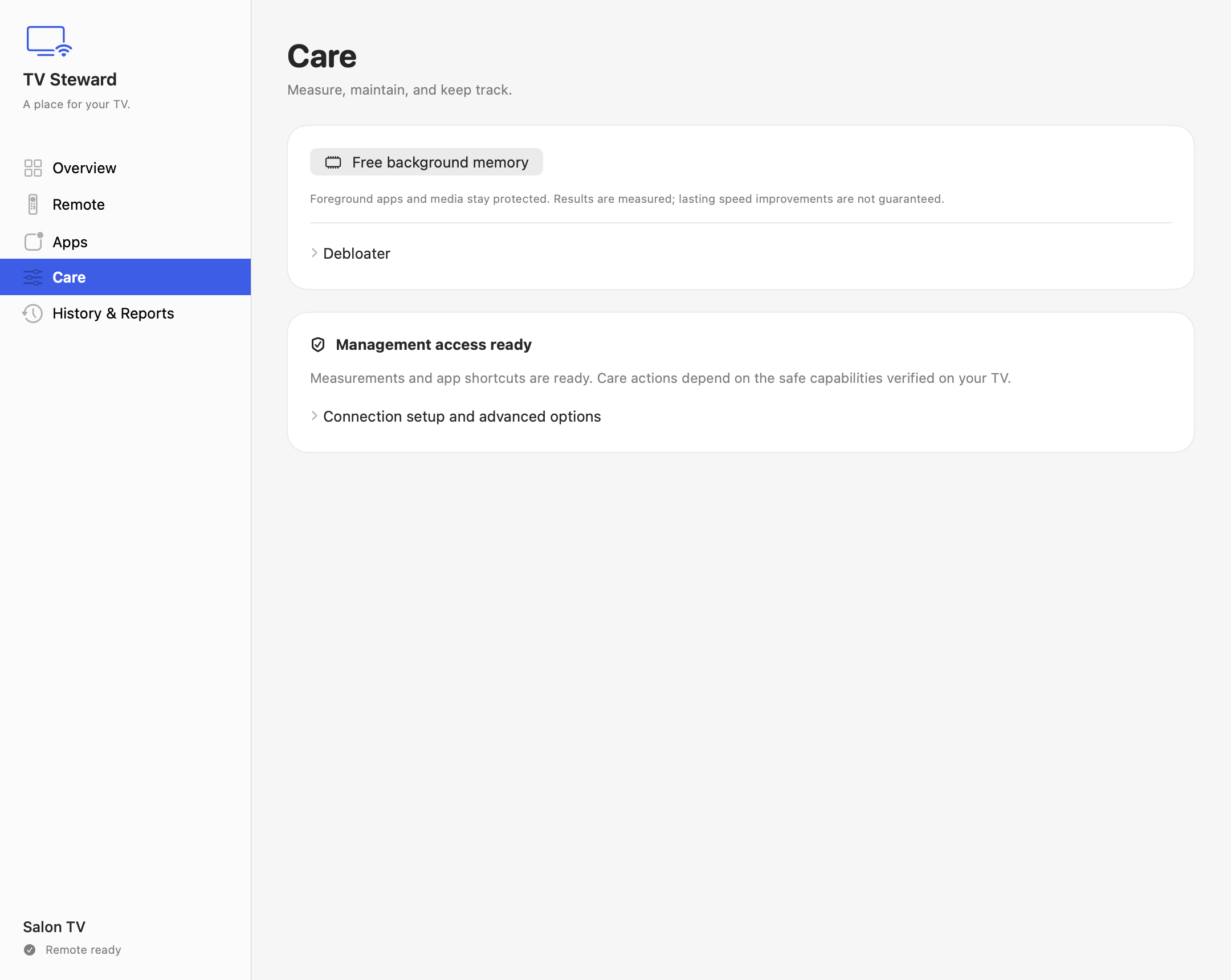
Check your TV, manage eligible apps, and see a record of your changes. You decide what happens next.

Optional care. Separate authorization. Device-dependent.
The Care screen with optional background memory cleanup and management permissions

App previews use sample data. Available controls and care features vary by TV and firmware.

THE SHORT VERSION

A few moments.
Then make yourself at home.

  1. 01

    Same network.

    Connect your Mac and compatible TV to the same local network.

  2. 02

    A simple introduction.

    Choose your TV and enter the pairing code shown on its screen.

  3. 03

    And you’re in control.

    Open TV Steward from your menu bar. Your remote is right there.

AT HOME. STAYS AT HOME.

Your TV is your business.
Let’s keep it that way.

TV commands travel over your local network. Device records and preferences stay on your Mac. No accounts, no advertising, no usage analytics.

Our privacy promise

GOOD TO KNOW

A few answers.
Before you settle in.

Visit support
Will it work with my TV?

TV Steward is designed for compatible Android TV and Google TV devices with Android TV Remote Service enabled. Your Mac and TV need to be on the same local network. Availability of volume, wake, input selection, and other features depends on the TV and its firmware. It does not control every smart TV.

What kind of Mac do I need?

An Apple silicon Mac running macOS 13 or later. Check the Mac App Store listing for the requirements of the current release.

Do I need an account or a subscription?

There is no TV Steward account to create. Current pricing and any purchase terms are shown on the Mac App Store before you download.

Is TV care required to use the remote?

No. Pairing the remote and authorizing management are separate steps. App launching and optional care use a separately authorized Android Debug Bridge (ADB) connection. Supported care actions depend on your TV; results and performance improvements are not guaranteed.

Can I stream or mirror my Mac’s screen?

TV Steward is a remote and management companion. It does not provide AirPlay, screen mirroring, or a streaming service.

A LITTLE APP. A LOVELIER ROUTINE.

Give your TV
a place on your Mac.

Download on the Mac App Store

Android TV & Google TV. Meet Mac.